

Free
$0 forever
- Fill, sign and send
- Scan paper to PDF
- Redact, for real
- Highlight, ink and notes
- Organise and combine pages
- Autosave with version history
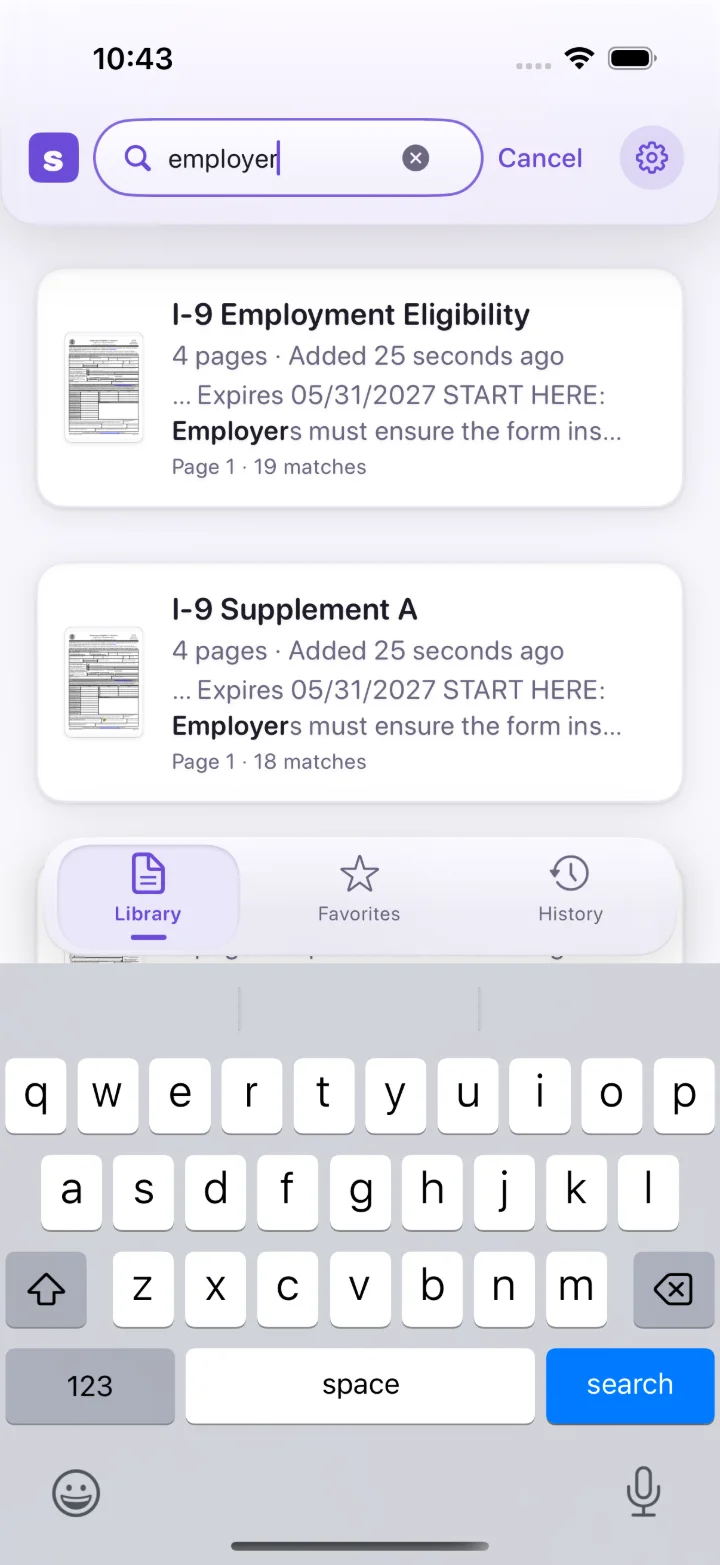
- Library-wide search
 Simply PDF
Get the app
Simply PDF
Get the app
For iPhone and iPad
Fill the form, sign it and send it back from your phone, in one flow. Your documents never leave your device.
1 / 4
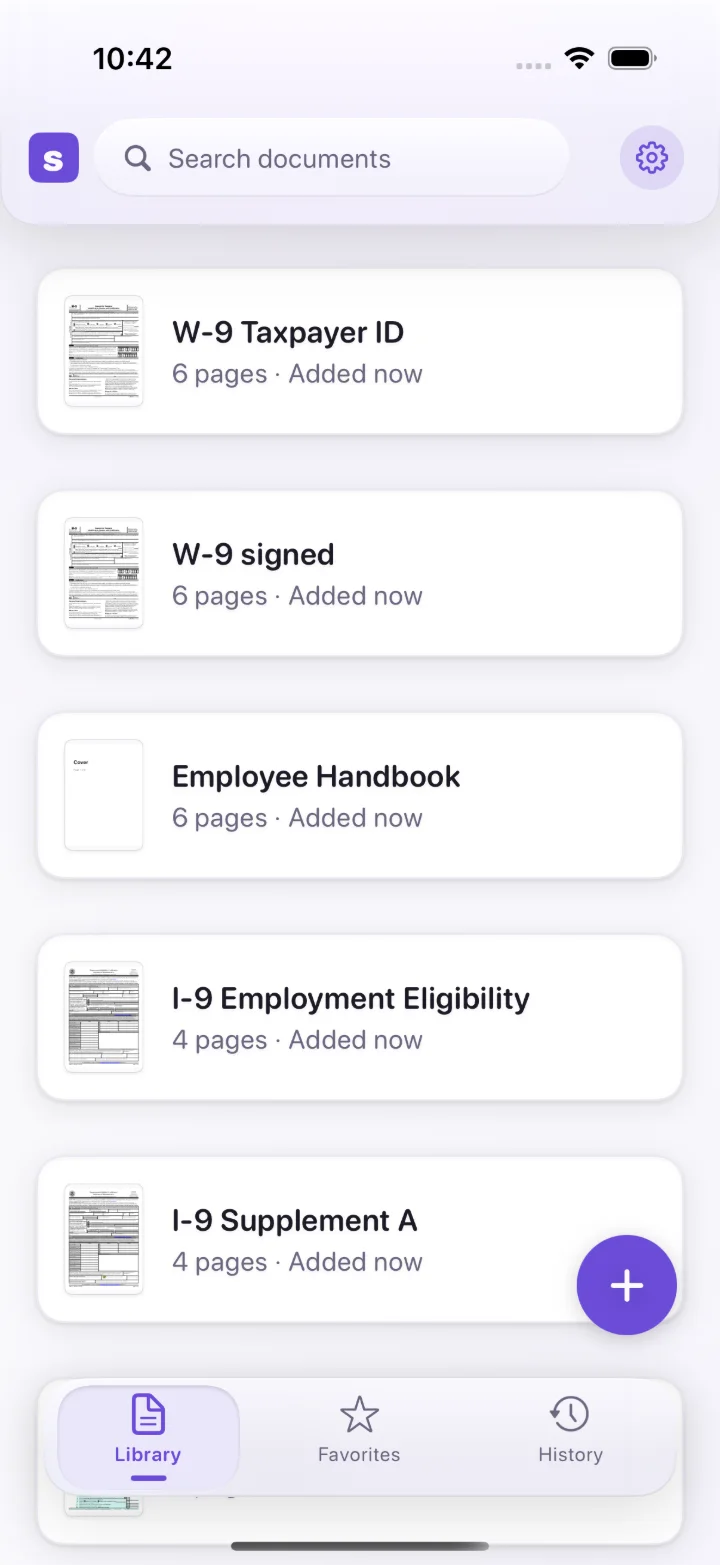
Tap anywhere on a form, even a scanned one with no fields. Simply PDF finds the line under your finger and puts the caret on it.
2 / 4
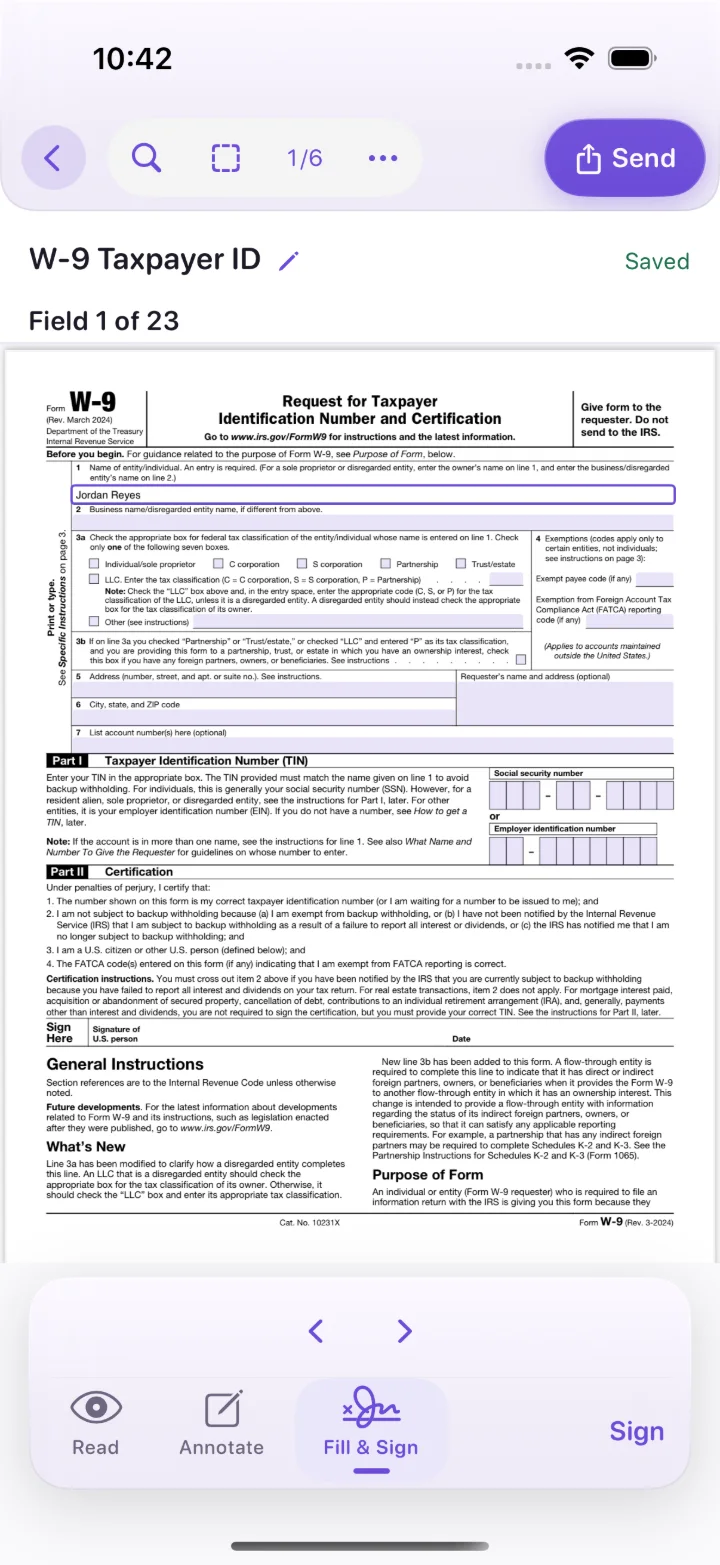
Text lands exactly where you tapped and sits on the baseline. Not lower and to the right. Not drifting off the page.
3 / 4
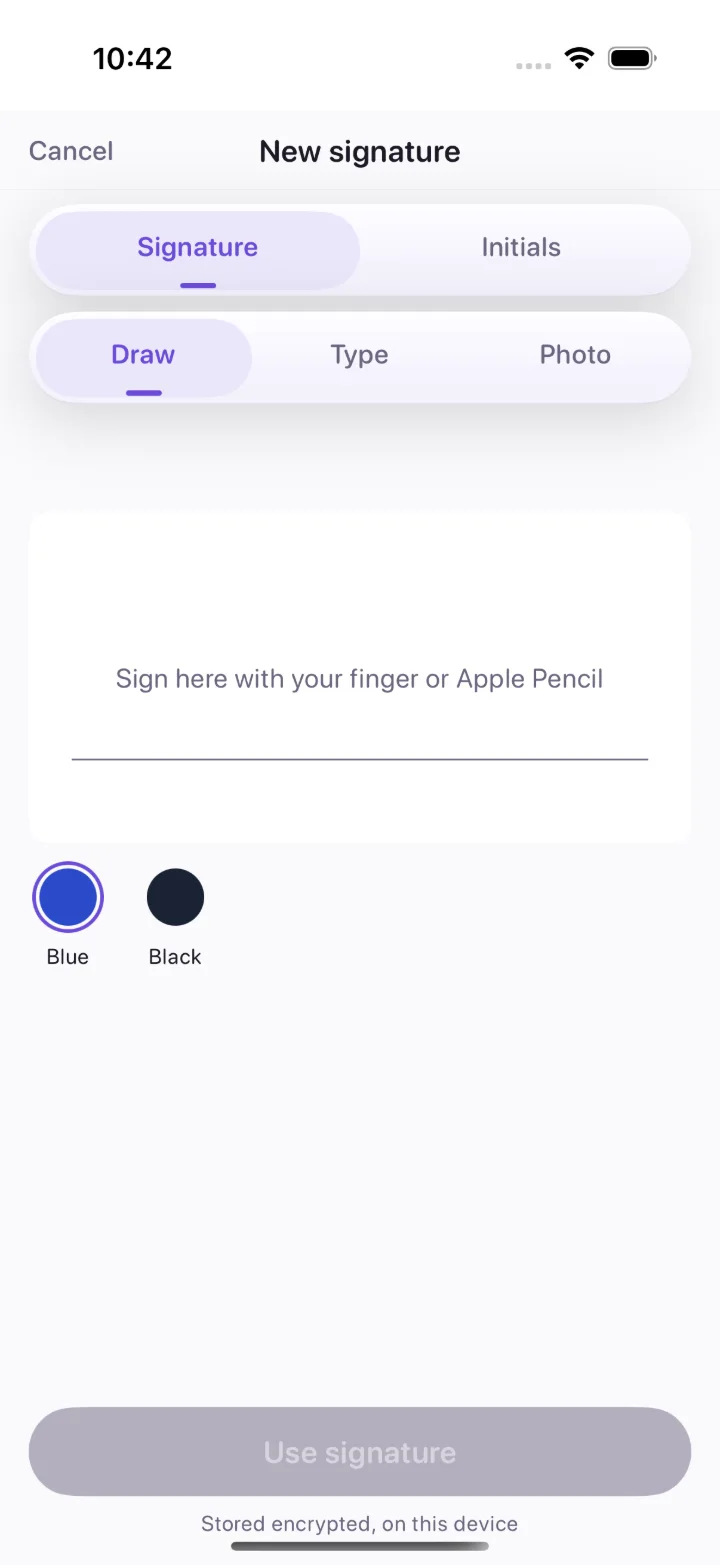
Draw your signature once and reuse it forever. Finger strokes are smoothed so it looks like your hand, and it never leaves your device.
4 / 4
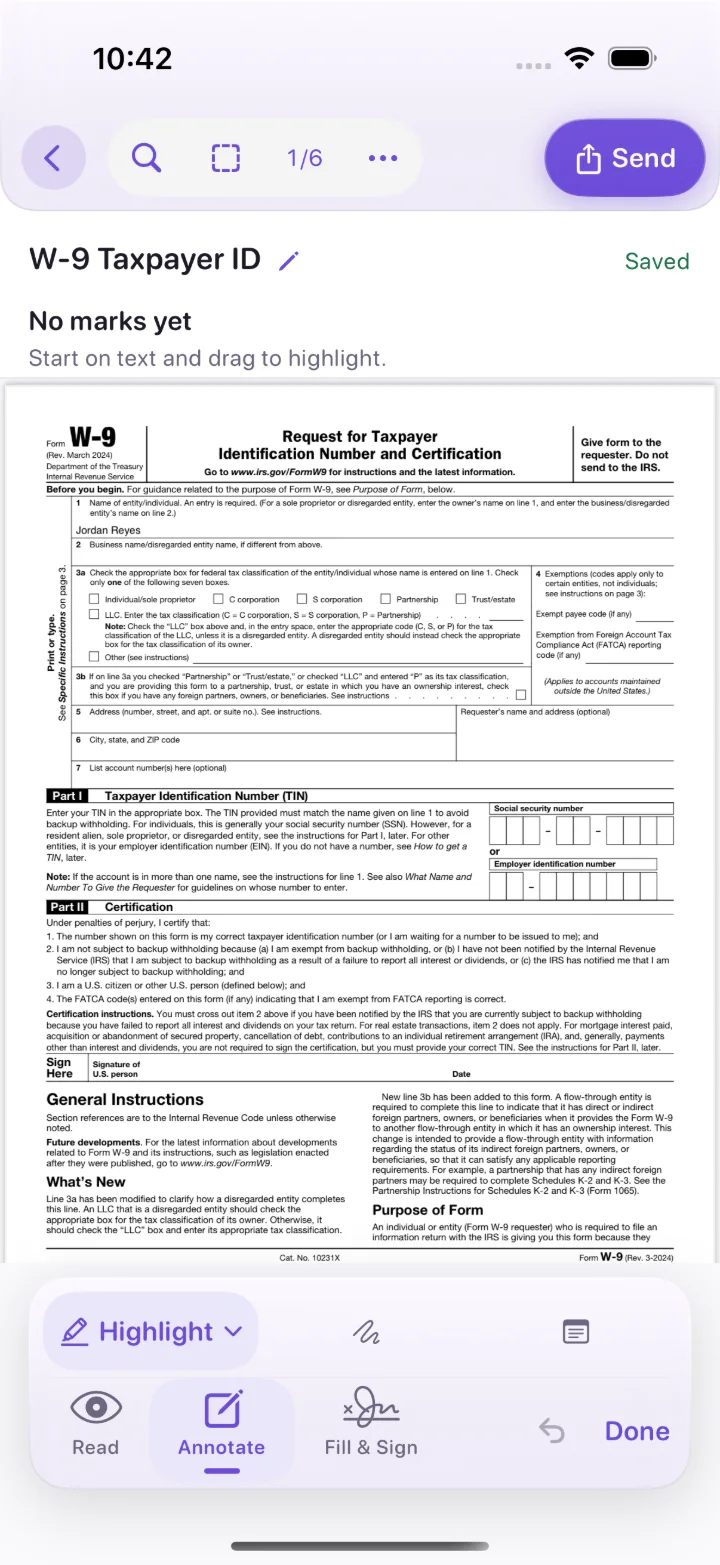
One tap flattens a copy and opens the share sheet. The original stays untouched, and every change is a version you can restore.
The app
Everything a form asks for
Most PDF apps were designed for a desk and shrunk. Simply PDF was designed for a phone, for the moment someone sends you a form and wants it back today.
Real form fields light up and you move between them with Next, and My Info fills every field it recognises in one tap. Flat or scanned forms with no fields at all? Tap and type.
Draw it with a finger or Pencil, type it, or pick a photo of your signature and the paper is lifted away. Saved privately on your device, placed in two taps.
Point the camera at a page. It is cropped, straightened and turned into a PDF, with text recognition that runs entirely on your device.
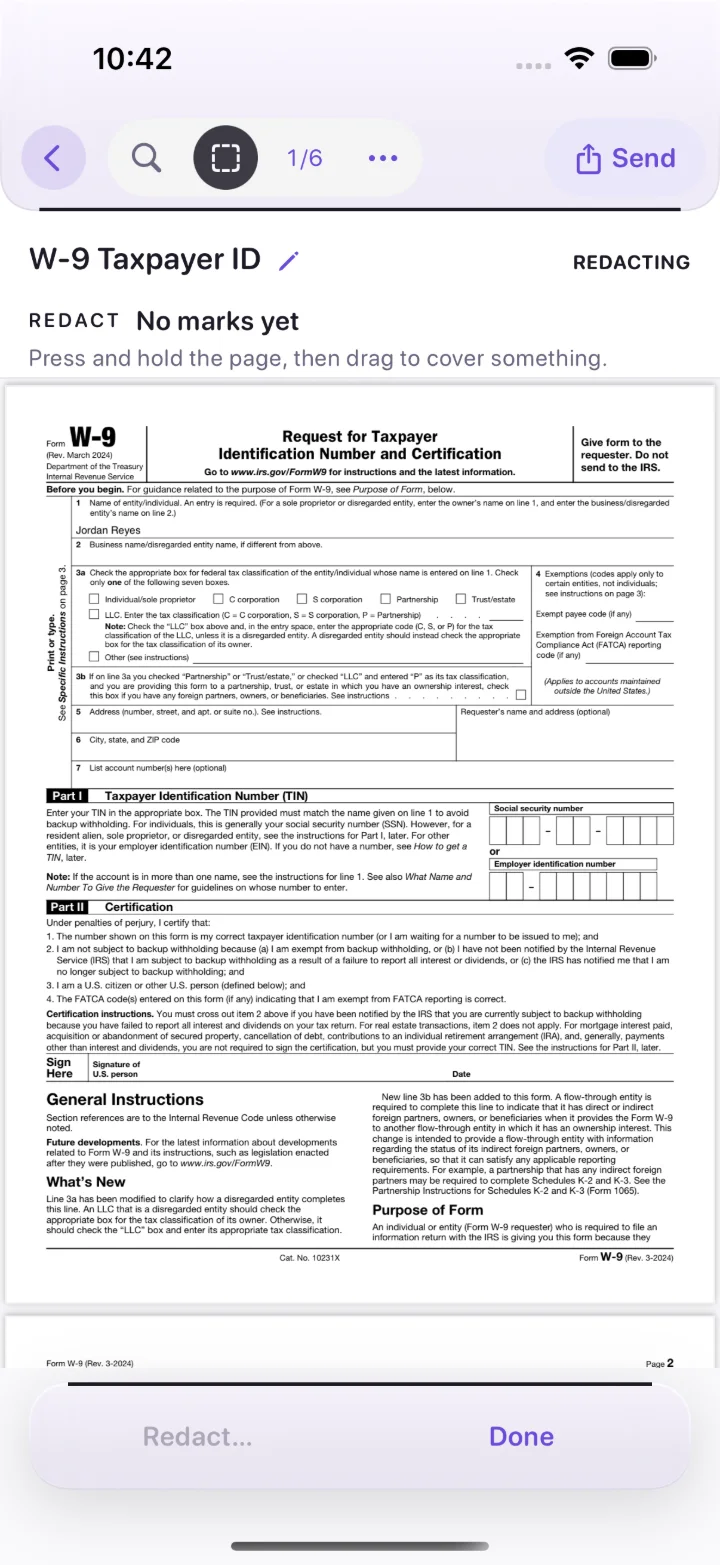
Redaction destroys what you mark and writes a new document, so the text cannot be selected, searched or recovered. It tells you exactly what that costs first. Free, in every tier.
Share a flattened copy so your fills and signature stay put in any viewer. Add a password if you like. The original is never changed.
Every change saves itself and becomes a version you can go back to. Your documents live in the Files app, where you can always find them.
Honest software
There is nothing to sign up for. Your purchase lives in your App Store account and comes back on a new device by itself.
Not on the free tier, not ever. A form you send from Simply PDF looks like a form.
Simply PDF has no server. Filling, signing, scanning and text recognition all happen on your device, and the app collects no data at all.
You see the price before you tap anything that costs money, and cancelling takes the same few taps as subscribing.
What is free today stays free. Pro adds new tools; it never puts a wall around old ones.
Pricing at launch
Filling, signing, sending, scanning, redacting and organising are free forever, with no daily caps. Pro adds exactly two tools, both for PDFs that are really pictures.
$0 forever
7 days free
$29.99 a year
or $4.99 a month, no trial
$79.99 once
The anti-subscription option
Prices in US dollars, set when the app goes on sale; the App Store shows yours in local currency. Subscriptions renew until cancelled in Settings › Apple ID.
Questions
On your device, in the Files app under Simply PDF. Nothing is uploaded, and you can open that folder in Files and copy documents out at any time.
Everything does. There is no server to reach, so a form on a plane fills exactly like a form at home.
Yes. Redaction destroys the marked areas rather than covering them, and writes a new document to do it. What it cannot reach are copies you already shared, printed or backed up, and the app says so before you commit.
It is never rewritten in place. Every change is saved as a restorable version, and sending shares a flattened copy, so the file you were given stays exactly as it was.
Yes. Simply PDF is one app for iPhone and iPad.
Settings › Subscription › Manage subscription, which opens Apple's own subscription screen. Cancelling takes the same few taps as subscribing.

Fill it, sign it, send it back. From your phone, in one flow.